
Auto Documentation vs Living Documentation: Which Is More Effective?
Discover the differences between Auto Documentation and Living Documentation to determine which method best enhances your development workflow and maintenance.
Quick Summary: Auto documentation is quick and ideal for generating reference pages from code, but it can become outdated without proper governance. Living documentation stays aligned with system changes, maintaining trust and accuracy through continuous updates and ownership. Most teams benefit from a hybrid approach, using auto docs for initial coverage and living docs for critical, evolving information. The key is to match the method to your need for speed or trust.
Auto Documentation works best when you need fast, low-touch docs pulled from code or tests. Living Documentation works better when your team needs docs people still trust weeks after release. Most teams compare Auto Documentation and Living Documentation for the same reason: stale docs slow work down. They cause repeat questions, messy onboarding, and wasted time checking what is true.
This comparison explains the real gap between generating Code Documentation and keeping Living Documentation in sync with how the system actually works. That distinction matters. Teams often treat them as the same thing, but they solve different problems. I have seen engineering, QA, and docs teams use both models well and fail with both when governance was missing.
Auto Documentation vs Living Documentation: At a Glance#
| Auto Documentation | Living Documentation | |
|---|---|---|
| Primary purpose | Generate docs quickly from source artifacts | Keep shared knowledge current and trustworthy |
| Update mechanism | Regenerated by tools or CI jobs | Continuously updated through code, tests, and workflow |
| Best for | APIs, code references, test reports, and repeatable artifacts | Behavior, domain knowledge, onboarding, and stakeholder understanding |
| Maintenance effort | Low after setup, but depends on source quality | Ongoing process discipline plus automation |
| Accuracy over time | High for structured sources; can drift if inputs are stale | Very high when backed by a reliable sync mechanism |
| Typical output | API docs, reference pages, diagrams, and reports | Executable specs, business-readable docs, requirements views, and source-cited knowledge |
How Auto Documentation and Living Documentation Compare#
Auto Documentation#
Auto documentation turns code comments, types, tests, and metadata into docs fast. It fits teams that need reliable reference pages, API docs, and reports with low ongoing effort once the pipeline is set, much like Javadoc generates API documentation from source code. Key strengths
- Fast output from source artifacts
- Strong for APIs, references, and repeatable reports
- Low effort after setup
Living Documentation#
Living documentation stays tied to daily work, so shared knowledge keeps changing with the system. It suits teams that need current behavior, onboarding context, and business-readable specs, especially when process and sync rules stay strong, similar to how a living document is continually updated. Key strengths
- Keeps knowledge current and trusted
- Best for behavior and stakeholder understanding
- Works through continuous workflow updates
What Each Approach Is Really Solving#
Auto documentation and living documentation sound close, but they solve different pains.
Generation vs. synchronization#
Auto documentation solves a generation problem. You already have source material, like code, comments, or an API spec, and you want fast output. As Fern explains, generated docs pull from a spec and rebuild when that spec changes. That is great for reference docs.
Living documentation solves a sync problem. It asks, "How do we keep docs true as the system changes?" That includes drift checks, review rules, and update triggers tied to real workflow.
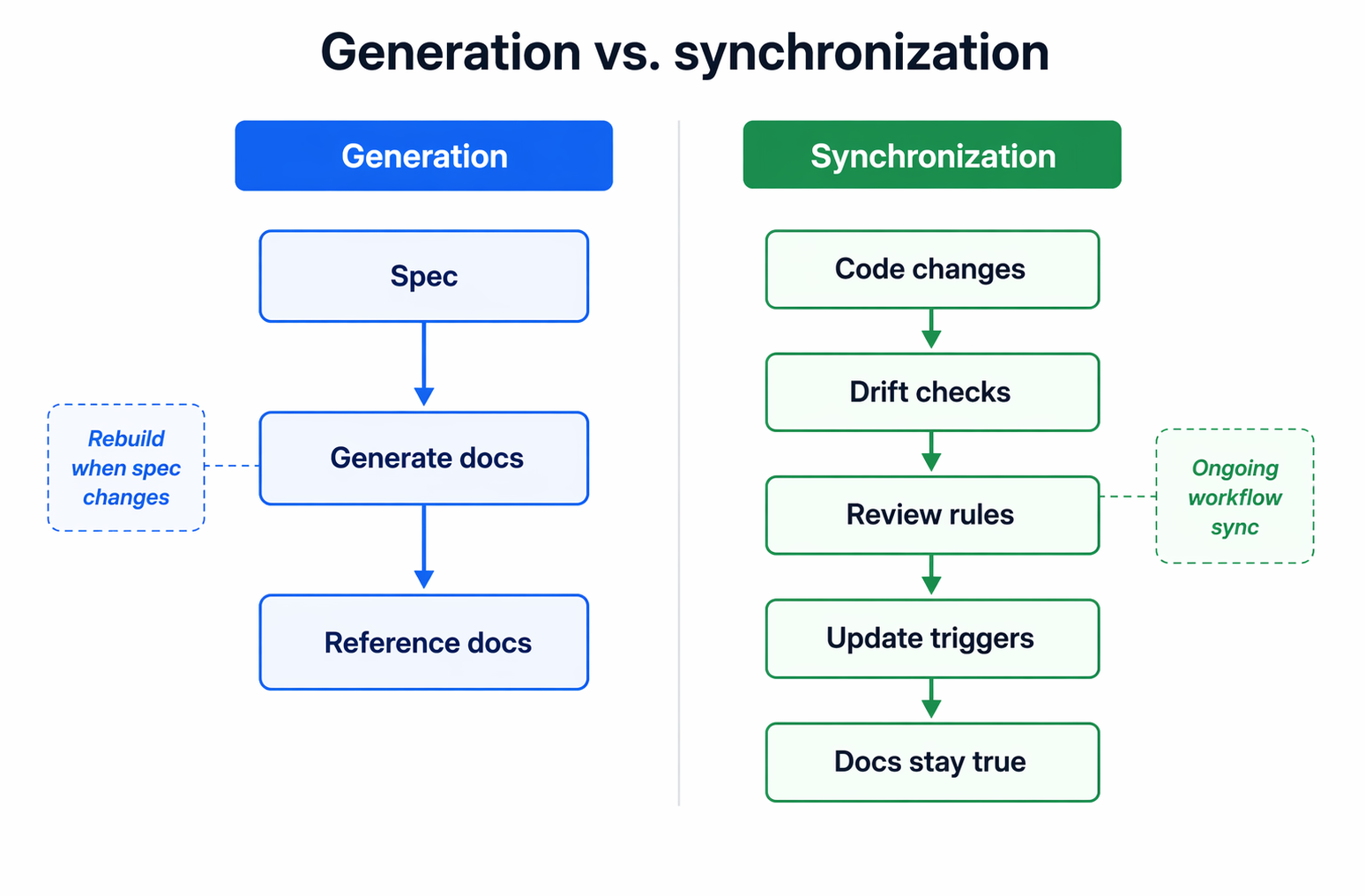
Key point: auto docs create content. Living docs protect trust.
Source of truth matters#
The real choice is not just automation level. It is where truth lives.
If your truth is an API spec, auto docs can work well. If truth is spread across code, tests, pull requests, and architecture notes, generation alone will miss gaps. ApiHug describes single source of truth as one controlled place that all work should follow, with change signals built in to keep teams aligned single source of truth guidance.
For teams using tools like MoxieDocs, that means docs are governed by the repo itself, not treated as a one-time export.
Also Read: GitHub Documentation Improvements Drive Better Developer Support
Accuracy, Drift, and Trust#
Accuracy decides whether documentation helps or hurts. Auto documentation works well when facts come straight from code and stay narrow, like endpoints, types, or signatures.
When automation is enough#
- Use auto documentation for stable, structural facts.
- It is strong at showing what exists right now.
- It is weak at explaining why something works that way.
A review of documentation drift research shows stale docs mislead teams and raise maintenance cost, especially when code changes faster than prose updates in recent drift research.
Why drift breaks confidence#
- Trust drops fast after one wrong page.
- Teams start checking code first, then ignoring docs.
- AI agents can spread the mistake faster than humans.
A 2026 benchmark found stale docs pushed agents into wrong answers at very high rates, and even strong models kept following bad context in documentation drift benchmark results.
Key insight: Generated docs fail from missing context. Living docs fail from weak governance.
Validation and verification#
Use a simple trust model:
- Generate facts from code.
- Flag drift on every merge.
- Assign an owner for review.
| Check | Auto docs | Living docs |
|---|---|---|
| Structural accuracy | Strong | Strong |
| Behavior accuracy over time | Medium | Strong |
| Team trust | Fragile | Higher |
MoxieDocs fits here well because it does not stop at generation. It keeps docs honest as the repo changes.
Also Read: Automated Code Documentation That Kills Onboarding Debt
Workflow, Ownership, and Team Effort#
Auto documentation cuts writing work. It does not remove maintenance work. The work simply moves. Teams spend less time drafting pages and more time checking gaps, edge cases, and whether generated docs still match product intent. That fits the broader rule that docs need named owners, review timing, and clear quality checks to stay trusted, as noted in this documentation governance model.
| Model | Main human effort | Common owner |
|---|---|---|
| Auto documentation | Prompting, validating, fixing weak output | Engineers |
| Living documentation | Reviewing changes, resolving drift, approving updates | Shared across engineering, QA, and docs |
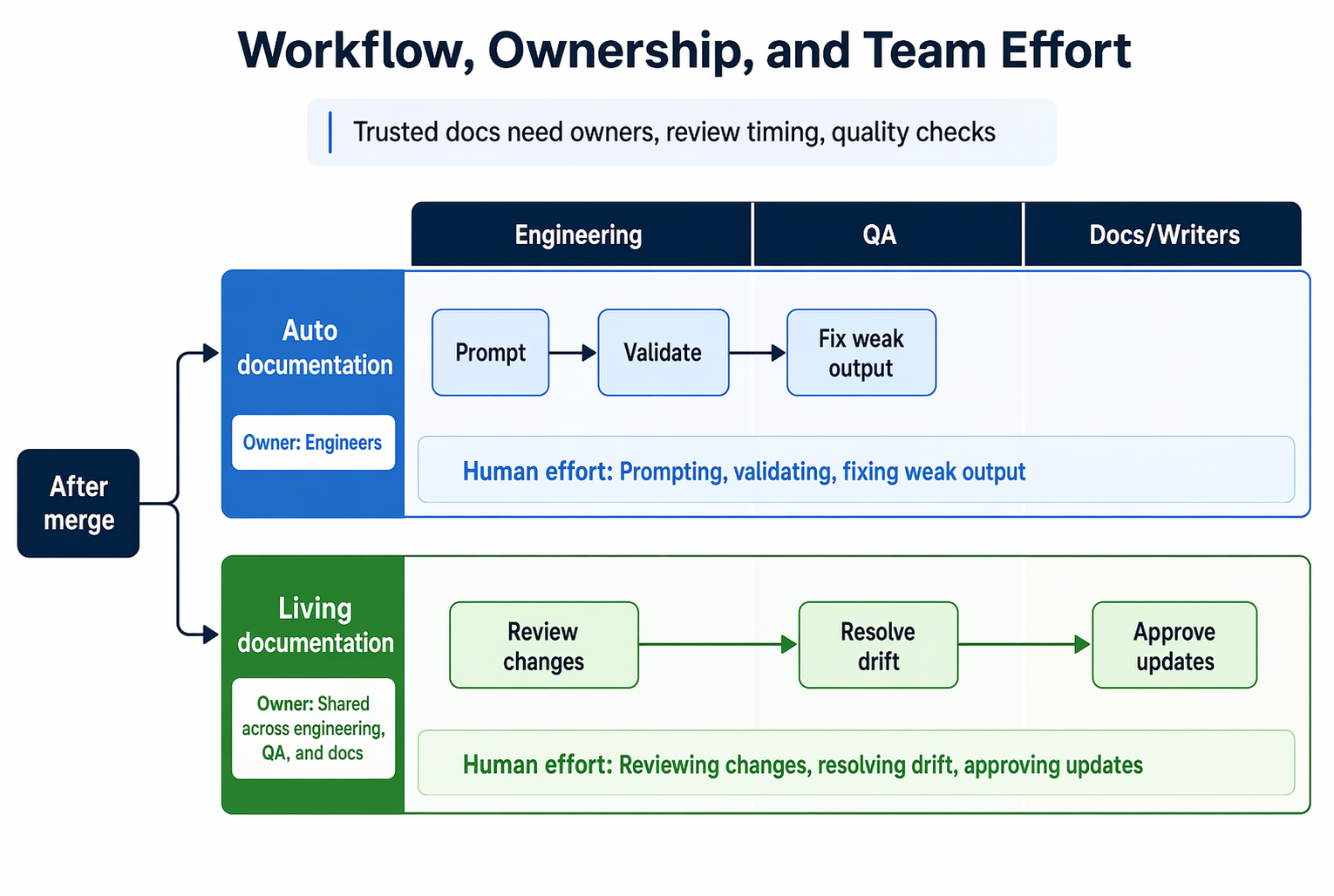
Collaboration changes the result. Auto docs often start with engineering and stay there. Living docs pull in more roles because truth lives across code, tests, behavior, and user impact. A practical setup looks like this:
- Engineers update source artifacts.
- QA or BDD teams confirm expected behavior.
- Technical writers shape clarity and find gaps.
- Owners approve what becomes trusted guidance.
If nobody owns the final review, the team will trust the code and ignore the docs.
Governance is the real divider. Living documentation works best when updates happen in the same flow as code review. Teams that tie docs to change triggers, owners, and merge checks keep drift lower, a point echoed in this engineering documentation ownership playbook. Tools like MoxieDocs help because they support the workflow, not just the first draft.
Best Use Cases for Each Model#
Auto documentation fits best when speed matters more than long-term control. Use it for:
- internal APIs
- early-stage products
- large legacy repos with thin docs
- one-time baselines before a cleanup
A 2023 study of 3,000+ GitHub projects found many repos drift out of sync over time, so fast generation helps you cover gaps quickly and spot risk sooner research on outdated references in GitHub docs.
Living documentation fits best when docs guide daily work and must stay true after every merge. Use it for:
- onboarding guides
- architecture decisions
- BDD and QA specs
- runbooks
- customer-facing setup docs
Research on documentation in continuous software development recommends minimal upfront docs plus ongoing, executable, tool-supported updates, which lines up with a living model mapping study on documentation in continuous software development.
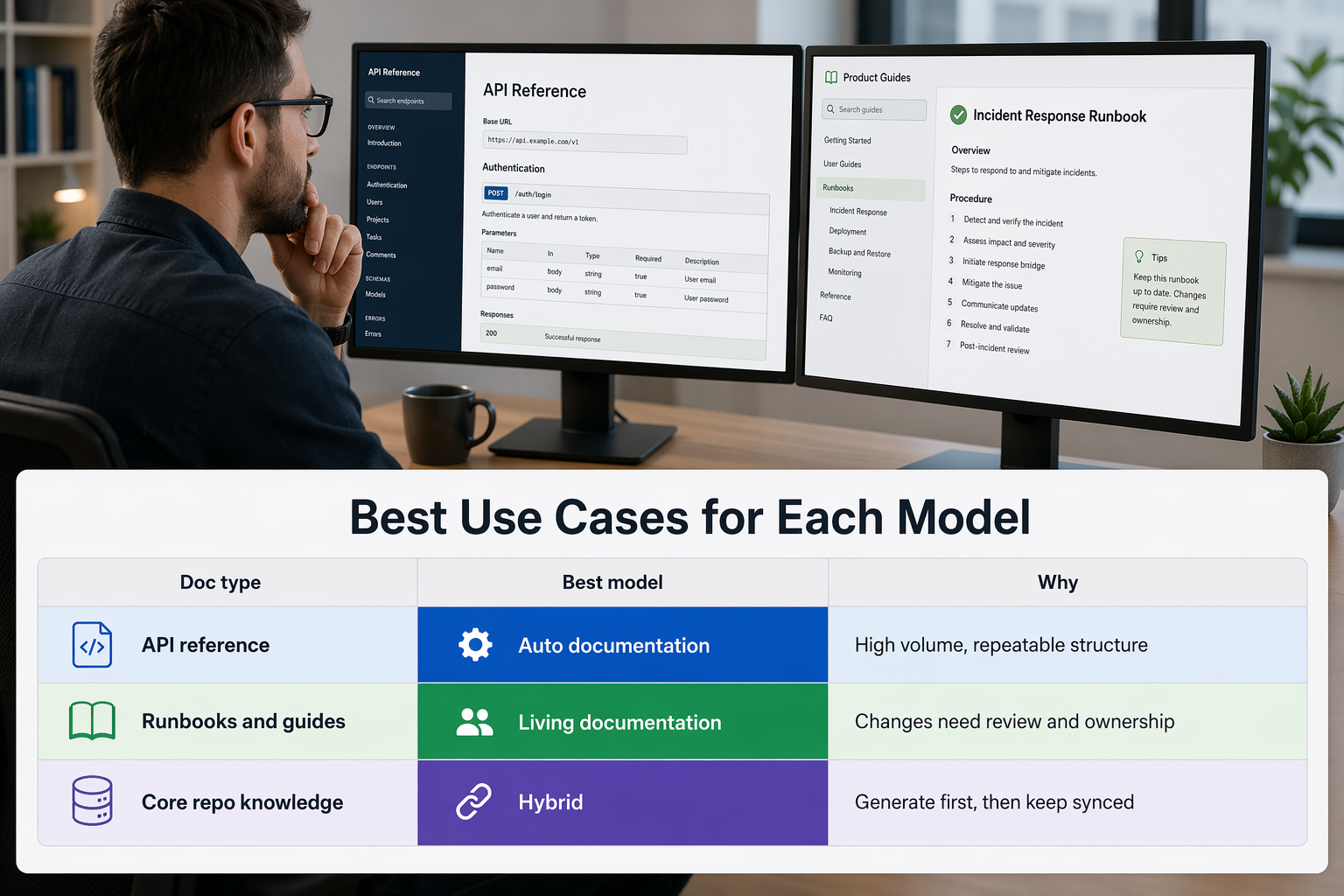
The hybrid model works best for most teams. Start with auto documentation to create coverage, then apply living rules to the pages that affect delivery, support, and trust.
A simple split works well:
| Doc type | Best model | Why |
|---|---|---|
| API reference | Auto documentation | High volume, repeatable structure |
| Runbooks and guides | Living documentation | Changes need review and ownership |
| Core repo knowledge | Hybrid | Generate first, then keep synced |
Also Read: How To Sync Documentation With Github And Keep It Alive As Your Codebase Evolves
Which Should You Choose?#
- Choose auto documentation if you need fast reference output
Auto documentation fits teams that need speed first. It can turn code into usable reference pages fast, which helps with APIs, internal modules, and repo overviews. That works well when your main problem is missing baseline docs, not long-term trust. Google's Code Wiki launch shows how fast, repo-wide generation is becoming standard.
- Choose living documentation if trust and freshness matter most
Living documentation fits teams that care most about accuracy after every change. It works best when docs must stay tied to reviews, merges, tests, and ownership. The real win is governance, not just generation. Write the Docs explains that docs-as-code workflows keep documentation in version control, reviews, and release flow, which raises accountability.
If engineers already ignore your docs, pick the model that fixes drift, not the one that creates more pages.
- When to combine both
Many teams should combine both. Use auto documentation to create first-pass reference material. Use living documentation rules to keep key docs honest over time. That split works well for fast-moving repos. It is also where a tool like MoxieDocs can fit naturally, since it focuses on keeping generated docs current as code changes.
Also Read: Ultimate Guide to Auto Documentation for Development Teams
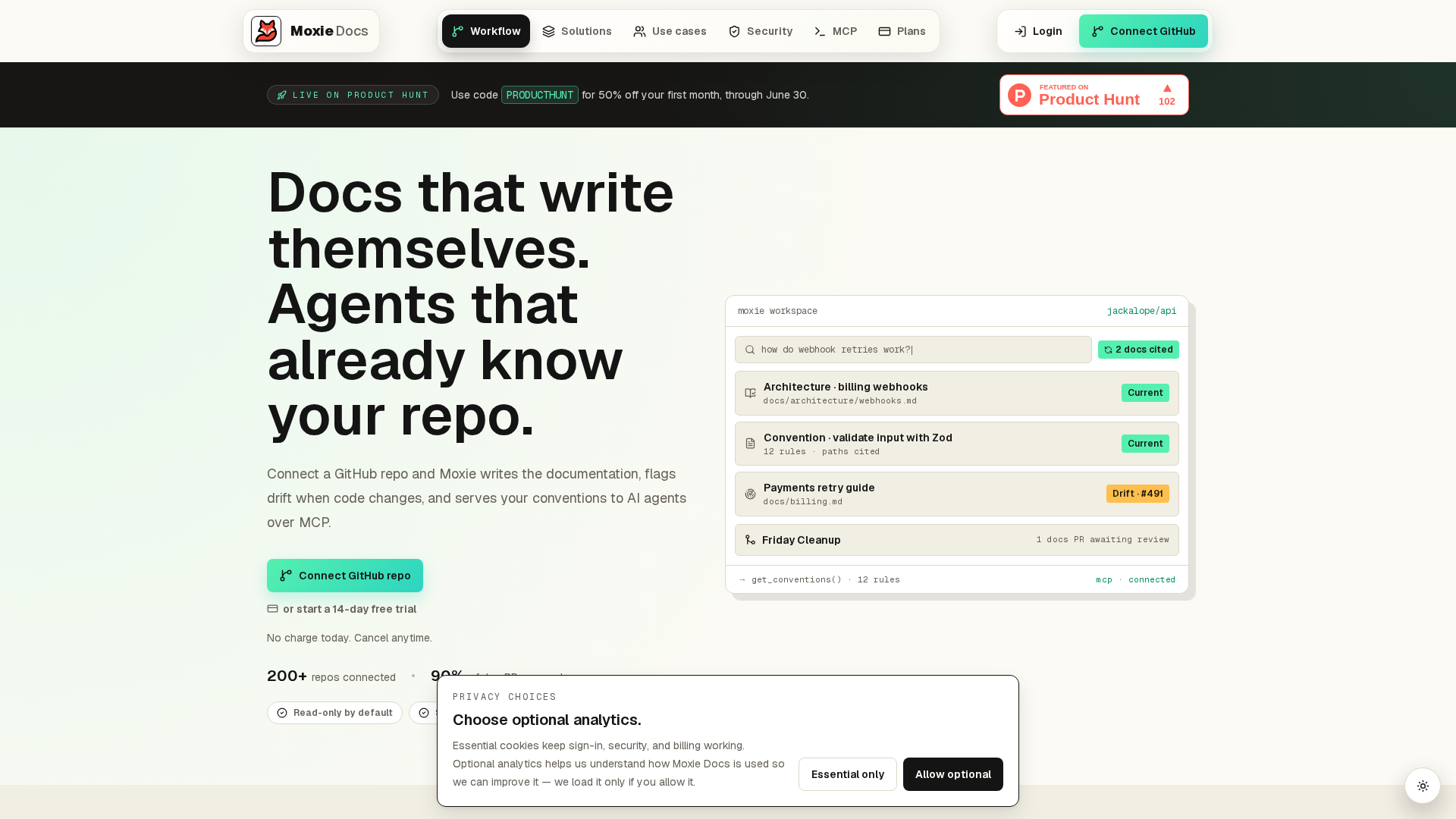
If static auto docs keep going stale, switch to living docs. MoxieDocs updates documentation with every merge, flags drift fast, and gives AI agents real code context. See how your team can keep docs accurate without extra manual work.
Frequently Asked Questions#
Q1: What are the key differences between auto documentation and living documentation?#
Auto documentation generates docs from code or comments. Living documentation also stays in sync as the system changes. The real gap is governance: auto docs create content fast, while living docs manage drift, review, and ongoing trust.
Q2: How does MoxieDocs enable automated and live documentation for GitHub repositories?#
MoxieDocs connects documentation to GitHub merges, so updates happen as code changes. It also flags drift when docs stop matching the repo. That makes it more than a generator - it acts like a maintenance layer for team knowledge.
Q3: Which documentation approach-auto or living-is more effective for maintaining accurate project knowledge?#
Living documentation is usually more effective when accuracy matters over time. Auto documentation helps teams move faster at the start, but it often goes stale. If your repo changes often, living docs give better long-term trust and lower cleanup work.
Q4: When is auto documentation enough on its own?#
Auto documentation can be enough for small tools, internal scripts, or low-change projects. It works best when the goal is fast reference, not shared decision-making. Once multiple teams depend on the docs, stale content becomes a bigger risk.
Q5: Does living documentation replace technical writers or QA teams?#
No. It reduces manual upkeep, but people still shape structure, tone, and intent. QA and BDD teams also add behavior context that code alone cannot show. Living documentation works best when automation and human review support each other.
Conclusion#
Auto documentation helps you create output fast. Living documentation helps you keep it true over time. That is the real split.
The better choice depends on your problem:
- Pick auto documentation when speed, coverage, and low effort matter most.
- Pick living documentation when trust, change control, and team ownership matter most.
Write the Docs notes that docs-as-code works best when documentation follows the same review and version flow as software Docs as Code. Wikipedia also shows how software documentation serves many roles, which is why one generated layer rarely covers everything software documentation. In practice, strong teams use both: generation for scale, governance for accuracy.
Republish or cite this article
You're welcome to republish this piece in full or in part. We just ask that you credit the original with a link back. See our republishing guidelines.
Attribution snippet
<p>This article was originally published on <a href="https://moxiedocs.com/blog/auto-documentation-vs-living-documentation-which-is-more-effective">Moxie Docs</a>.</p>Cite this article
The Moxie Docs team. "Auto Documentation vs Living Documentation: Which Is More Effective?." Moxie Docs, June 28, 2026, https://moxiedocs.com/blog/auto-documentation-vs-living-documentation-which-is-more-effective.
Read next
MoxieDocs vs DeepDocs: Which AI Documentation Tool Wins?
Compare MoxieDocs and DeepDocs to find the best AI documentation tool for software teams, technical writers, and AI developers. Discover features and insights to make an informed choice.
Ship cleaner PRs with agentic AI: use MCP context and living docs
Improve code quality with agentic AI (Claude Code, Cursor) using MCP context and living docs. Benchmarks, prompts, and PR tips—plus how Moxie Docs helps.