
Living Documentation and AI Documentation: A Comparative Overview
Explore a detailed comparison of Living Documentation and AI Documentation, helping software teams and engineers choose the best practices for effective AI-assisted development.
- documentation
- industry-trends
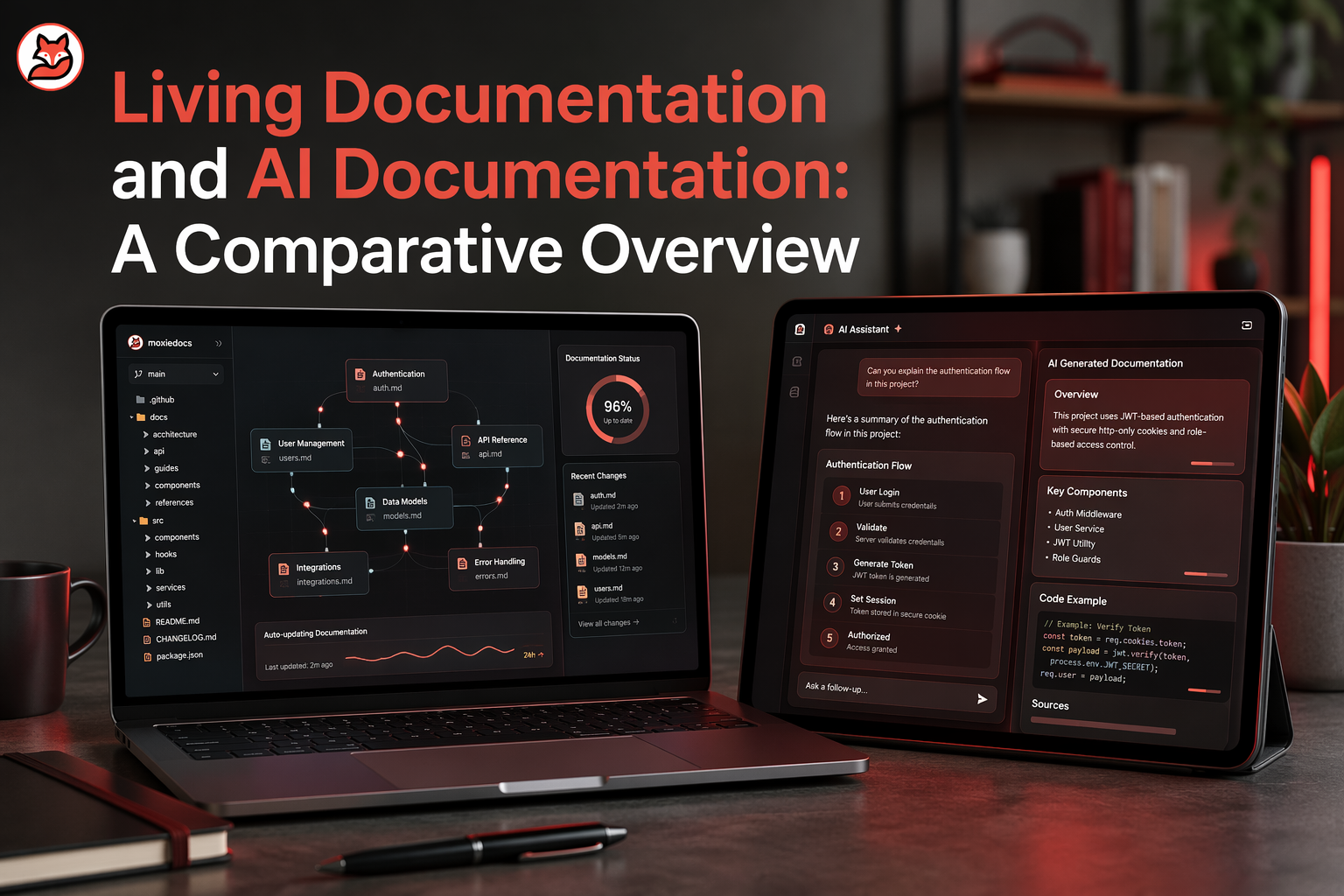
Quick Summary: Living documentation stays updated with real code changes, providing reliable, reviewable info, while AI documentation quickly drafts and scales content but risks becoming outdated or inaccurate. The best approach combines both: use living docs for trust and accuracy, and AI tools for speed and coverage. Teams should integrate these methods into their workflows, relying on tools like Moxie Docs to keep docs current and flag drift, ensuring both speed and trust.
Teams need docs they can trust. Living Documentation works best when you need a durable source of truth that stays tied to real system behavior. AI Documentation helps when speed and scale matter, especially as code changes fast. The best setup is not one or the other. It is Living Documentation with AI helping keep it current.
Engineering teams, product teams, and technical writers all face the same problem. Code Documentation goes stale fast, while AI tools now read docs as working context for coding, testing, and support.
This comparison explains how Living Documentation differs from AI Documentation, where each fits, and how to combine them without creating stale docs or automation nobody trusts. This view comes from practical work with modern software teams and AI-assisted delivery.
Living Documentation vs AI Documentation at a Glance#
| Living Documentation | AI Documentation | |
|---|---|---|
| Core idea | Docs evolve with the system | AI generates or refreshes docs |
| How it stays current | Updated from code, tests, or workflows | Updated by models and automation |
| Best for | Teams needing a trusted source of truth | Fast-moving teams needing scale |
| Main risk | Drift if sync and ownership are weak | Hallucinations or stale context |
| Typical output | Current, reviewable living docs | Drafts, summaries, generated references |
How Living Documentation and AI Documentation Compare#
Living Documentation#
Living documentation stays tied to the system it describes. It fits teams that need one trusted source of truth and want docs updated from code, tests, or team workflows. In this comparison, it represents accuracy, reviewability, and long-term trust.
 Key strengths
- Stays current through continuous sync
- Gives teams reviewable, reliable docs
AI Documentation#
AI documentation uses models and automation to create or refresh content fast. It fits teams moving quickly that need broad coverage without heavy manual work. In this comparison, it represents speed, scale, and lower writing effort, with more risk around stale context.
 Key strengths
- Generates drafts and summaries quickly
- Helps teams scale documentation effort
What Each Approach Actually Means#
Living documentation is a practice, not a file format. The point is simple: docs change when the system changes. That can include ADRs, runbooks, architecture notes, and API explainers. A markdown file can be living. A wiki can be living. Even a README can be living if your team updates it as part of delivery, review, and merge flow.
If docs only get attention before audits or onboarding, they are not living docs.
A quick way to spot the difference:
| Approach | What makes it "living" |
|---|---|
| Static docs | Written once, updated later if someone remembers |
| Living docs | Tied to real change in code, decisions, and releases |
- Living docs usually include:
- update rules
- review ownership
- drift checks
- links back to code or decisions
AI documentation is an automation layer, not a truth machine. AI can draft, summarize, and keep docs moving. It can also invent details. IBM defines AI hallucinations as outputs that are inaccurate or made up, even when they sound confident, according to IBM's overview.
That means AI docs help most when humans and systems verify them.
- AI speeds up first drafts.
- Verification keeps trust high.
- Drift detection keeps docs useful.
Moxie Docs fits here well: it does not just generate docs. It helps keep them aligned with repo changes and flags drift, which is the part many AI doc tools skip.
Also Read: 8 Top AI Documentation Tools for Engineering Teams in 2026
Freshness, Accuracy, and Documentation Drift#
The hidden cost of stale documentation#
Stale docs do more than annoy people. They create a false source of truth. The result is slow onboarding, bad handoffs, and wrong decisions in code reviews. Recent research on documentation maintenance notes that drift creates technical debt and can lead to API misuse when docs no longer match the code DocSync research.
Teams usually feel the damage in simple ways:
- Developers stop trusting docs
- New hires ask senior engineers for basics
- AI coding agents repeat outdated guidance
- Support and review cycles get longer
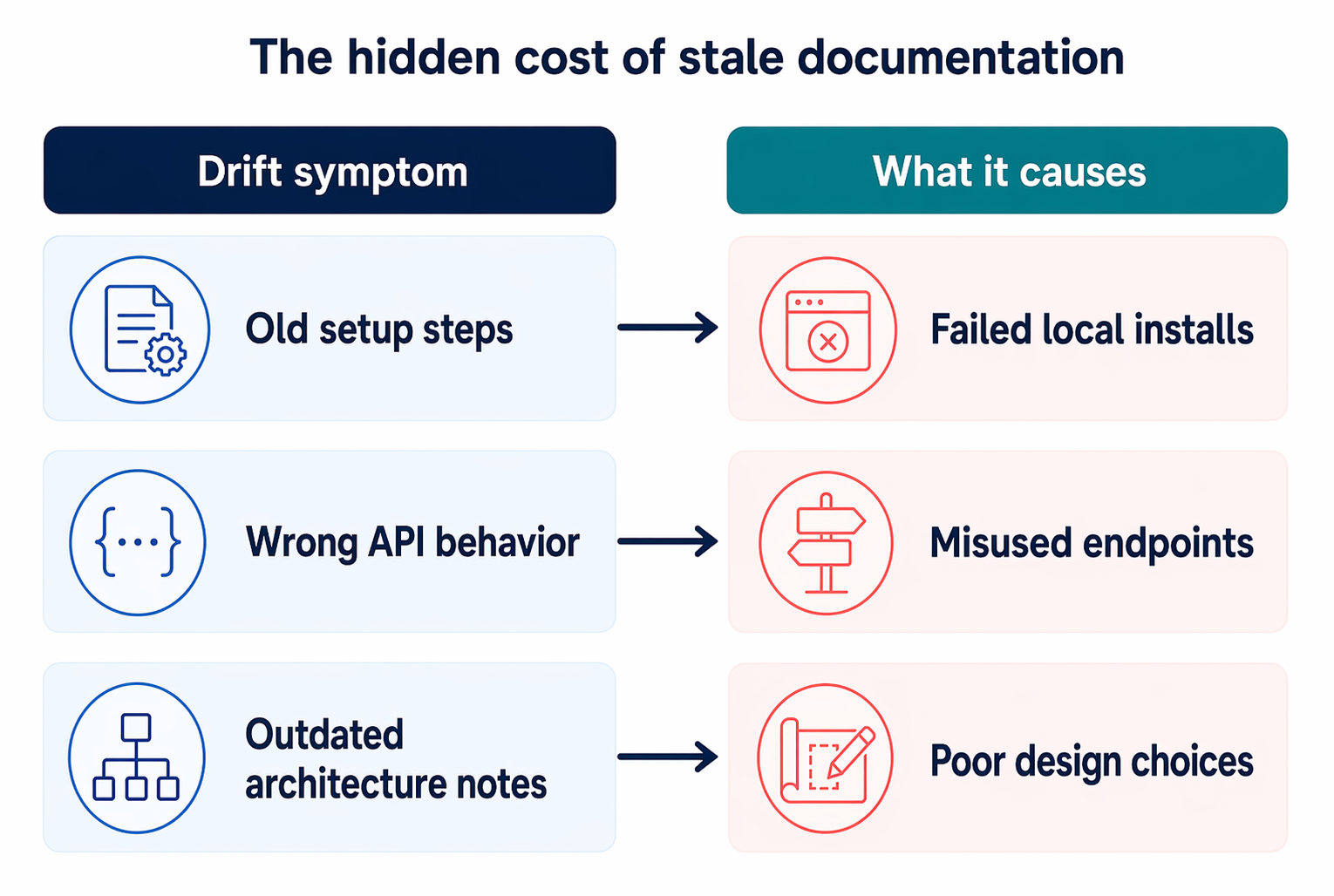
| Drift symptom | What it causes |
|---|---|
| Old setup steps | Failed local installs |
| Wrong API behavior | Misused endpoints |
| Outdated architecture notes | Poor design choices |
If people must verify every page against the code, your docs are no longer saving time.
How automation helps, and where it fails#
Automation helps by checking changes on every merge, flagging gaps, and drafting updates before drift spreads. That matters more now because AI agents often treat documentation as truth. A recent benchmark found stale docs could mislead models at very high rates, while fresh docs restored task success surface-bench paper.
Still, automation has limits. It works best when paired with review.
- It catches obvious mismatches fast.
- It struggles with intent, nuance, and cross-file meaning.
- It can rewrite text that sounds right but misses real behavior.
Moxie Docs fits here well because it updates docs with each merge and flags drift instead of waiting for a quarterly cleanup.
Also Read: Ultimate Guide to Auto Documentation for Development Teams
Workflow Fit for Modern Engineering Teams#
Where living docs fit in the delivery pipeline#
Living docs work best inside the normal path from issue to merge to release. They should update when code changes, not weeks later. That makes them a delivery control, not a side project. DORA says AI works best when teams have strong version control, small batches, and AI-accessible internal data AI Capabilities Model.
Teams usually plug living docs into:
- Pull request review
- CI checks for drift
- Merge-based doc updates
- Release notes and handoff
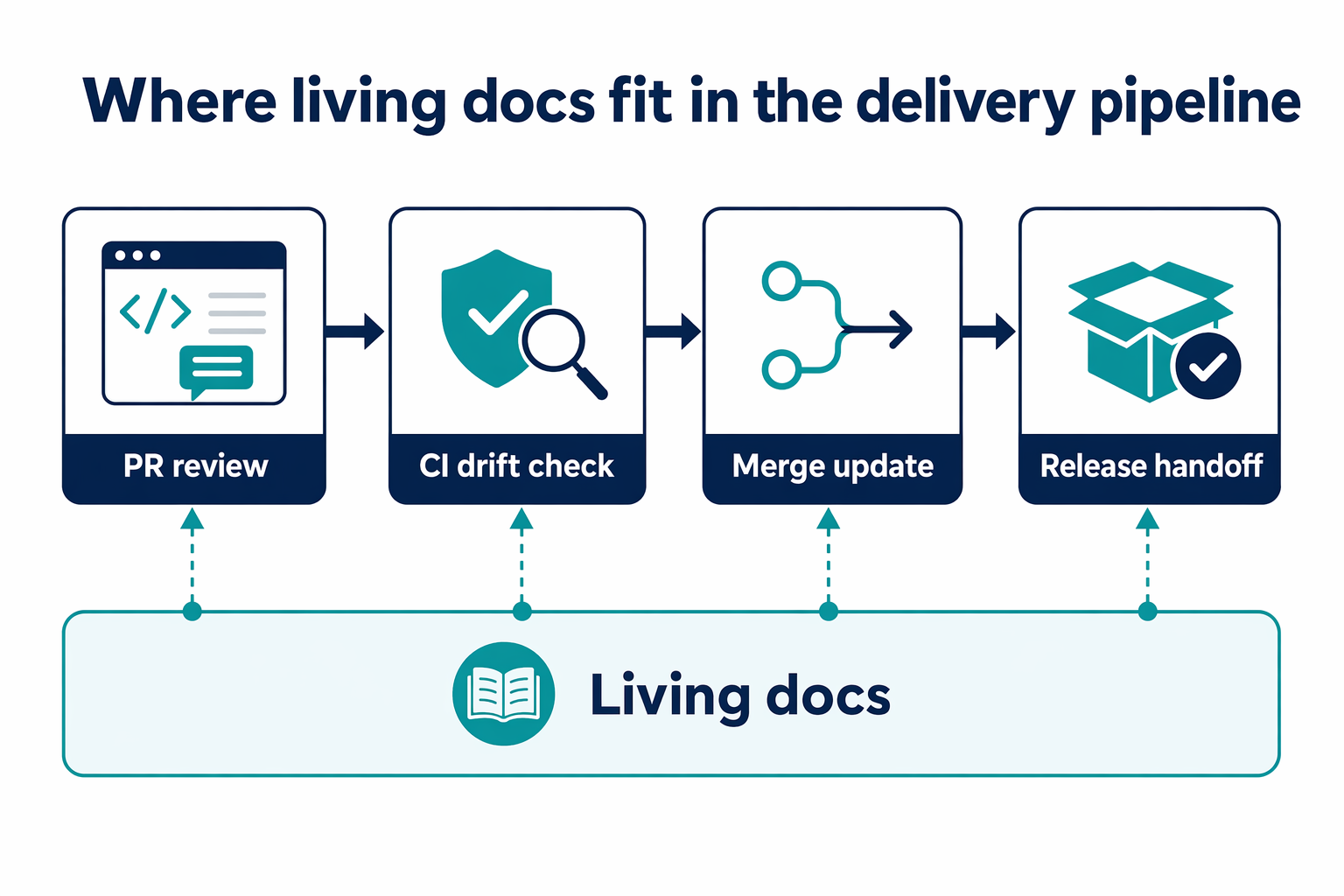
If docs live outside the repo, they fall behind fast.
For teams using Moxie Docs, the fit is simple: docs stay tied to GitHub activity, so architecture notes, setup steps, and service behavior move with the code.
Where AI documentation adds the most leverage#
AI documentation helps most at high-friction points, like onboarding, code search, change review, and first-draft summaries. GitLab’s 2026 playbook says the repo should be the single source of truth and agents need context plus CI constraints to stay reliable AI-Assisted Development Playbook.
Use AI documentation for:
- Summarizing large changes
- Explaining unfamiliar modules
- Drafting API notes
- Answering repeat team questions
| Best use | Why it helps |
|---|---|
| Onboarding | Cuts search time |
| Review prep | Gives fast context |
| Legacy code | Speeds understanding |
AI adds speed. Living docs add trust. Teams need both.
Best Use Cases, Limits, and Risks#
When living documentation is the safer choice#
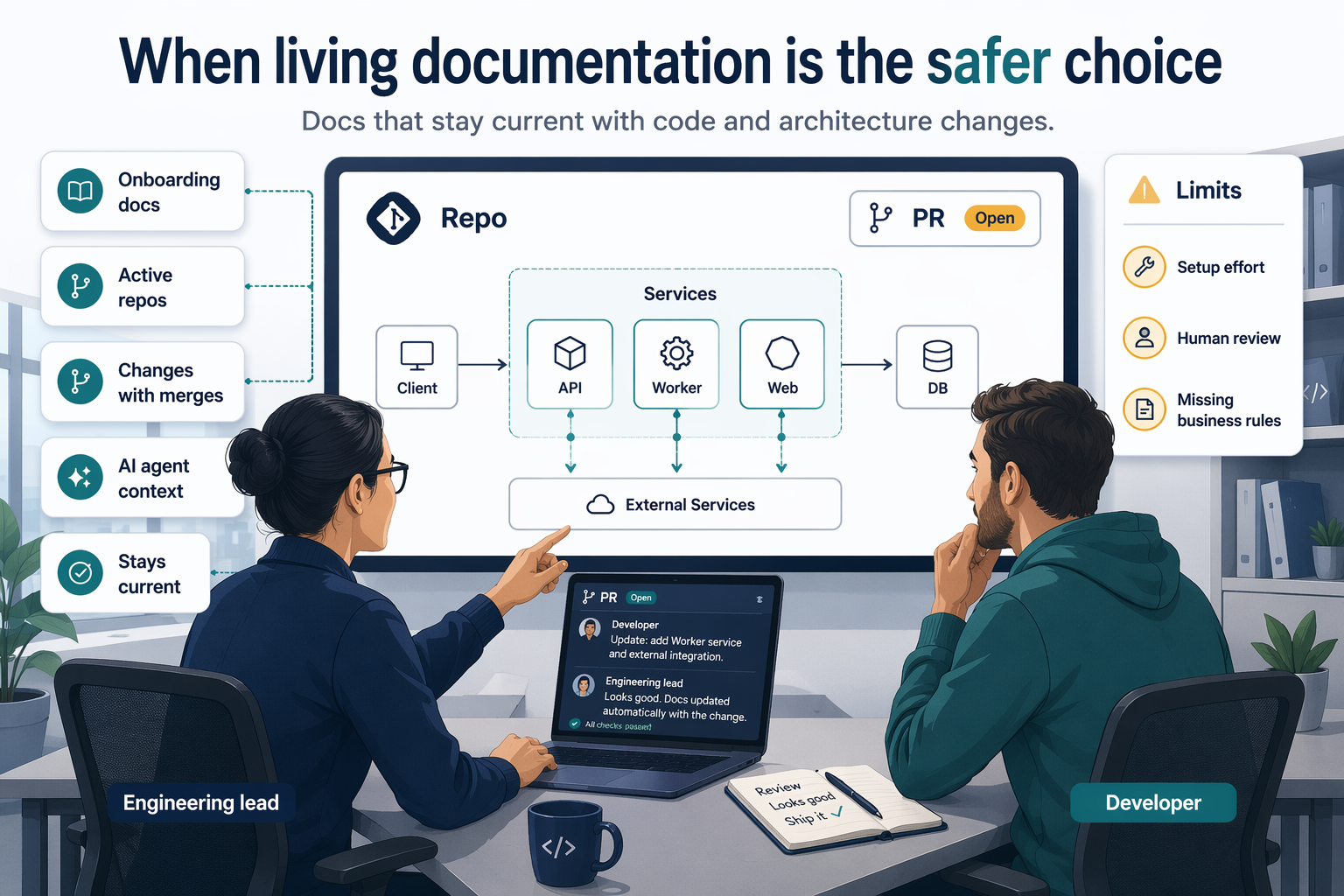
Living documentation is the better fit when wrong docs can cause real damage. Use it for systems with shared ownership, fast code change, and strict review needs. Research on context rot found stale code references in 23% of sampled repositories, which shows how fast trusted docs can drift from reality context rot research.
-
Best use cases:
- API references tied closely to code
- onboarding docs for active repos
- architecture maps that change with merges
- AI agent context files that must stay current
-
Main limits and risks:
- setup takes effort
- teams still need human review for nuance and intent
- auto-updated docs can look correct while missing business rules
If a team treats generated docs as final truth, it can hide gaps instead of fixing them.
When AI documentation is the faster choice#
AI documentation wins when speed matters more than perfect traceability. It helps with first drafts, summaries, release notes, and legacy repos that have little structure. Meta researchers found that retrieval support helped agents catch cross-file issues and cut wall-clock time by 22% to 34% in case studies Context-as-AI-Service study.
-
Use AI-first docs when you need:
- fast draft creation
- broad coverage across old code
- quick answers during exploration
-
Watch the risks:
- confident but wrong claims
- hidden dependency mistakes
- too many overlapping markdown files
Moxie Docs fits well here when teams want AI speed but also want drift checks after each merge.
Also Read: How To Sync Documentation With Github And Keep It Alive As Your Codebase Evolves
Which Should You Choose for Your Team?#
Use a simple rule: pick living documentation if your code changes fast, and pick AI documentation if your main pain is writing speed. Pick both if you use AI to ship code often.
The reason is practical. In the 2025 Stack Overflow Developer Survey, 84% of developers use or plan to use AI tools, but only 33% trust AI output. That means fast docs alone are not enough. Your team also needs docs that stay true as the code moves.
Here is the quick guide:
-
Choose living documentation when:
- Your repo changes every week
- Drift causes bugs or confusion
- New hires need reliable context
-
Choose AI documentation when:
- You have poor doc coverage
- Teams avoid writing first drafts
- You need summaries, release notes, or docs at scale
-
Choose both when:
- AI helps write production code
- Multiple teams share one codebase
- Trust matters more than raw speed
A strong default for modern teams is AI-generated drafts plus living documentation that checks and updates them.
For that setup, Moxie Docs fits well because it keeps GitHub docs current as merges happen, instead of letting AI-written docs go stale.
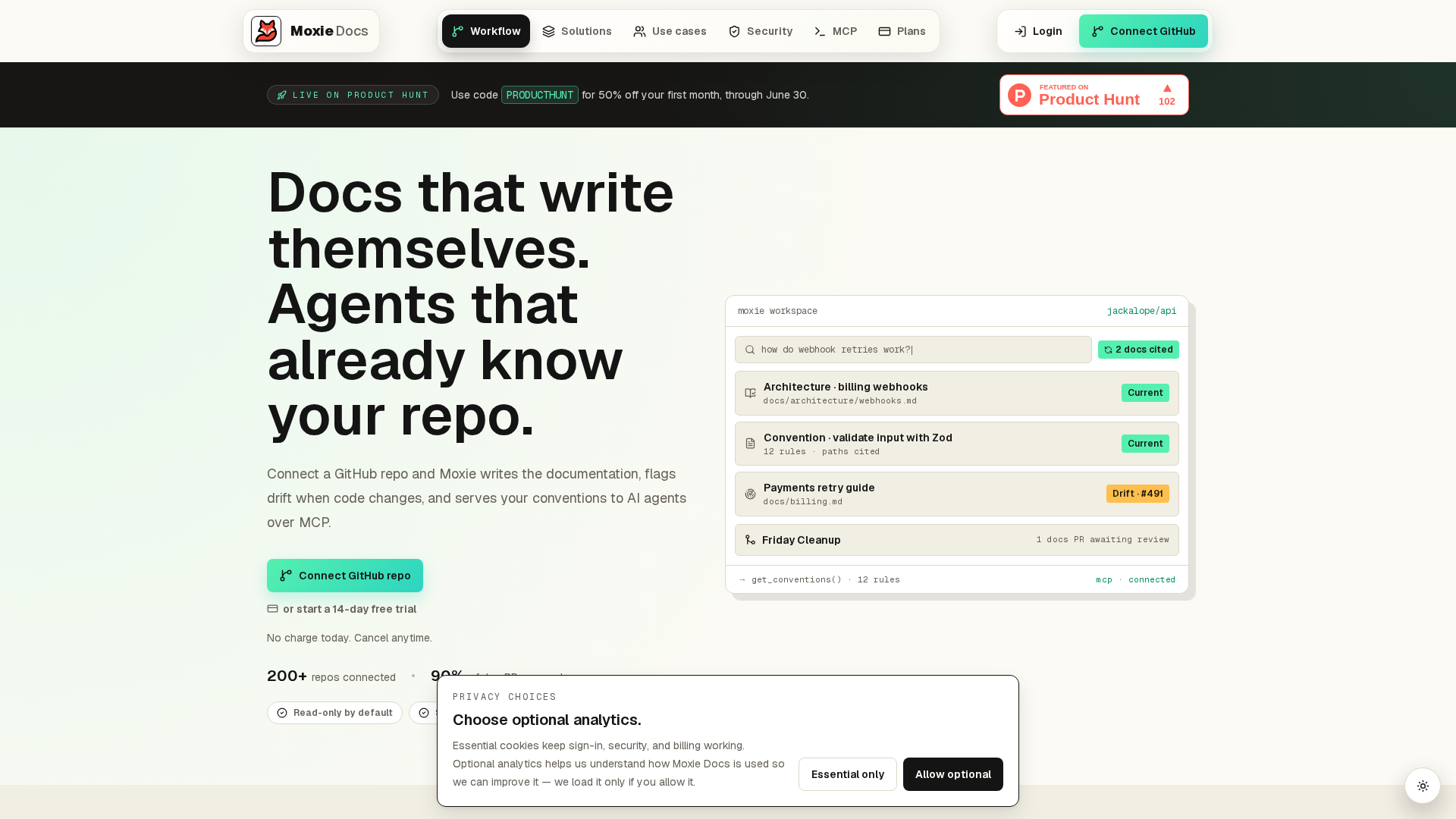
Stop choosing between living docs and AI docs. Use both with Moxie Docs, which keeps GitHub documentation current, flags drift, and feeds AI agents real code context. Start with one repo and see the gap close fast.
Frequently Asked Questions#
Q1: What is living documentation and how does it differ from traditional documentation?#
Living documentation updates with the code and system changes. Traditional docs often lag behind because teams edit them by hand. The main difference is sync - living docs stay tied to real source changes, so they stay useful longer.
Q2: How does Moxie Docs automate the maintenance of living documentation in GitHub repositories?#
Moxie Docs watches merges, updates docs from code changes, and flags drift when content no longer matches the repo. That cuts manual review work and gives developers and AI agents current context without digging through stale files.
Q3: What are the key benefits of integrating AI-driven living documentation into software development workflows?#
Teams move faster, onboard people sooner, and reduce errors from outdated docs. AI-driven docs also improve agent output because the model gets fresher context, which lowers wasted tokens and cuts back on wrong assumptions.
Q4: Does AI documentation replace technical writers and developer docs work?#
No. It removes repetitive upkeep, not judgment. Writers and engineers still shape structure, voice, standards, and edge cases. AI handles speed and scale, while humans keep the docs clear, accurate, and useful for real readers.
Conclusion#
Living documentation and AI documentation solve different problems. One keeps docs tied to real code changes. The other speeds up writing, search, and updates. Teams get the best result when they use both together, not as replacements.
That matters more now because AI is already reshaping software work. A 2026 survey found that over 70% of developers reported major time savings on boilerplate and documentation tasks with GenAI, according to recent research. In practice, strong teams use living docs as the source of truth and AI as the helper. Tools like Moxie Docs fit that model well by making docs easier to keep current, useful, and trusted.
Republish or cite this article
You're welcome to republish this piece in full or in part. We just ask that you credit the original with a link back. See our republishing guidelines.
Attribution snippet
<p>This article was originally published on <a href="https://moxiedocs.com/blog/living-documentation-and-ai-documentation-a-comparative-overview">Moxie Docs</a>.</p>Cite this article
The Moxie Docs team. "Living Documentation and AI Documentation: A Comparative Overview." Moxie Docs, June 21, 2026, https://moxiedocs.com/blog/living-documentation-and-ai-documentation-a-comparative-overview.
Read next
Stop Maintaining .cursorrules: A Better Way to Give AI Context
Static .cursorrules files grow bloated, fall out of sync, and go stale. Learn how Model Context Protocol (MCP) servers replace static custom rules files with live, queryable repository context.
MoxieDocs vs DeepDocs: Which Fits Lean Startup Teams Better?
Struggling to keep docs up-to-date with a tiny team? Compare MoxieDocs and DeepDocs to see which AI docs generator saves your engineers time without sacrificing clarity—so you can ship faster.