
A Comprehensive Guide to GitHub Documentation for Development Teams
Learn how to effectively utilize GitHub documentation with this guide designed for development teams and engineering managers seeking clear, practical guidance.
- documentation
- developer-experience
Quick Summary: Good documentation on GitHub should be well-structured and focused on specific user needs, like quick onboarding or detailed reference. Use different surfaces like READMEs, wikis, and folders to keep content clear and easy to find. Assign ownership and review processes to keep docs accurate and current, and leverage tools like Moxie Docs to automate updates and flag drift. Overall, treat documentation as a system that supports your team’s workflow, not just a collection of pages.
A new engineer joins your monorepo, opens the root README, and still needs architecture context, setup steps, API docs, and a clear place to ask questions. That is where GitHub Documentation often breaks down. Teams add docs fast, but structure, ownership, and search fall apart just as fast.
This guide shows how to make GitHub Documentation clear, scalable, and easy to maintain. You will see how to organize Development Documentation across READMEs, wikis, repos, and issue templates without creating a maze. It also explains where Code Documentation Tools fit and where they do not.
The advice here comes from how real teams document work in GitHub every day. Good GitHub Documentation is not more content. It is better structure.
GitHub Documentation in a Development Team Context#
GitHub documentation should help your team ship, review, and support code with less guesswork. Keep the basics near the repo, and move long-form guidance into the right GitHub surface.
What belongs in GitHub Documentation#
A good repo should answer the first team questions fast. GitHub says a README should cover what the project does, why it matters, how to get started, where to get help, and who maintains it in GitHub's README guidance.
- Put setup steps, run commands, and contribution rules in the repo
- Add architecture notes, decision logs, and team workflows
- Document release steps, on-call basics, and common failure paths
If a doc helps someone open, change, review, or run code, it likely belongs in GitHub.
The main GitHub surfaces teams rely on#
Teams usually split docs across a few surfaces instead of one giant file. GitHub's wiki is built for longer project documentation like design ideas and core principles in GitHub Docs on wikis.
| Surface | Best use | Team benefit |
|---|---|---|
| README | Quick start and repo overview | Speeds up onboarding |
/docs folder | Versioned guides near code | Keeps changes reviewable |
| Wiki | Long-form reference and background | Reduces README bloat |
| Issues and PRs | Decisions and change context | Preserves why work happened |
Tools like Moxie Docs fit here when teams need docs to stay current as code changes.
Also Read: GitHub Code Coverage on Pull Requests Now in Public Preview
Choose the Right Documentation Type for the Job#
Pick the doc type by user need, not by team habit. The Diátaxis framework splits docs into four forms because each solves a different problem.
- Tutorials help someone learn
- How-to guides help someone finish a task
- Reference gives exact facts
- Explanation gives context and reasons
| Type | Best for | Key question |
|---|---|---|
| Tutorial | First steps | Can you teach me? |
| How-to | Task completion | How do I do this? |
| Reference | Lookup | What is it? |
| Explanation | Understanding | Why does it work this way? |
Tutorials for first-time learning#
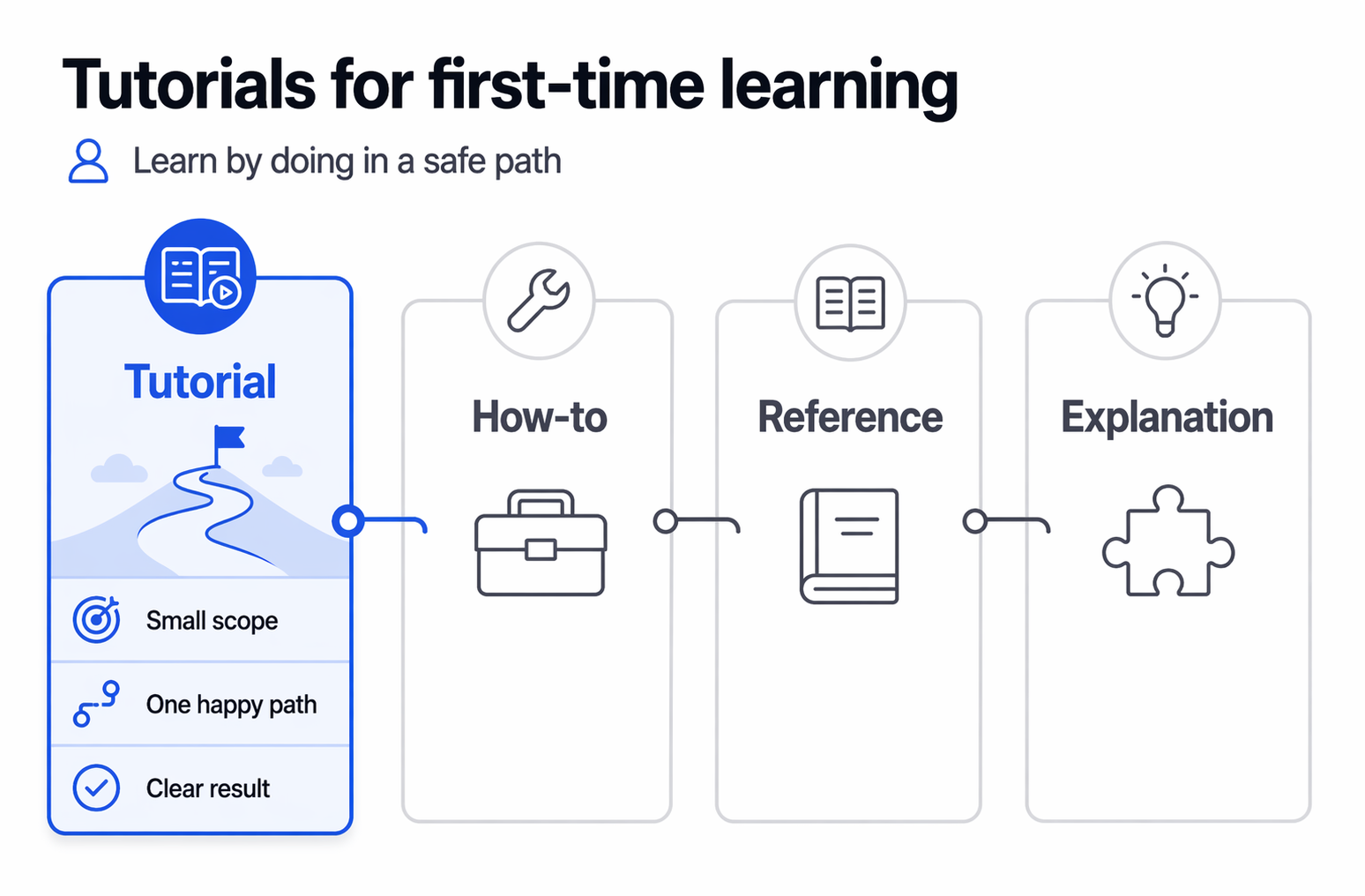
Use tutorials when someone is new and needs a safe path. According to Diátaxis in five minutes, a tutorial is a practical lesson where the learner builds skill by doing, not by reading theory.
- Keep the scope small
- Show one happy path
- End with a clear result
How-to guides for real tasks#
Use how-to guides for repeatable jobs like setting up branch protection, publishing docs, or fixing broken links. These guides assume the reader already knows the basics.
A how-to guide should help someone get work done fast.
- Name the task clearly
- List steps in order
- Link out to reference when needed
Reference and explanation for facts and context#
Use reference for neutral facts like file locations, config options, workflows, permissions, and naming rules. Use explanation for tradeoffs, architecture choices, and team standards. Wikipedia’s overview of technical documentation also treats documentation as different classes of information, which supports this split.
For GitHub docs, this usually means:
- Reference: repo structure, labels, templates, ownership
- Explanation: why your team uses Diátaxis, docs-as-code, or review gates
If your team uses Moxie Docs, this split gets easier to maintain because drift-prone reference pages and longer-lived explanation pages change for different reasons.
Also Read: GitHub Documentation Improvements Drive Better Developer Support
Build a README That Actually Helps People#
A good README answers the visitor's first question fast: What is this, why should I care, and how do I start? GitHub says a README should explain what the project does, why it is useful, how to get started, where to get help, and who maintains it (GitHub README guidance).
What a strong README should answer first
Start with the basics people need before they scroll away:
- What the project does
- Who it is for
- How to run or use it first
- Where to get help
If a new teammate cannot explain the repo in 15 seconds after reading the top section, the intro is too vague.
How to structure the README for scanning
Use short blocks, clear headings, and links out to deeper docs. GitHub also auto-generates an outline from headings, so a clean heading structure helps people scan faster (GitHub formatting syntax).
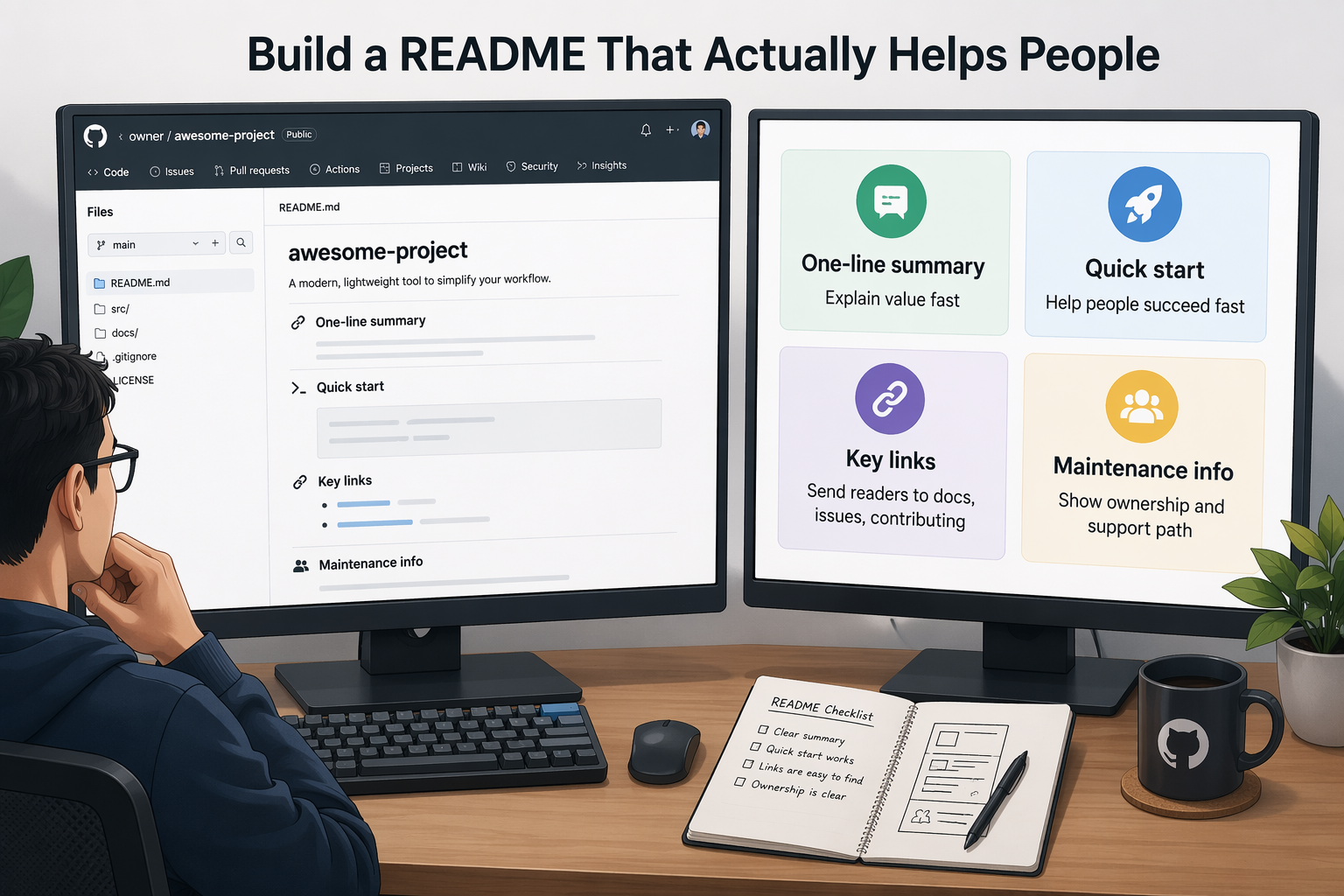
| README part | What it should do |
|---|---|
| One-line summary | Explain value fast |
| Quick start | Help people succeed fast |
| Key links | Send readers to docs, issues, contributing |
| Maintenance info | Show ownership and support path |
What to keep out of the README
Do not cram everything into one file.
- Full API detail
- Long troubleshooting trees
- Huge architecture notes
- Copy-pasted license text
GitHub recommends keeping the README focused on getting people started, then linking to longer docs or companion files. Moxie Docs helps here by keeping deeper repo docs current as the code changes.
Also Read: Ai Code Assistants And Living Documentation In 2026
Organize Documentation for Fast Onboarding and Easy Navigation#
A clean structure helps new teammates find answers fast. GitHub already supports this well if you keep docs in clear folders, use strong headings, and link pages in a way people can scan.
- Group docs by user need, not by team name
- Keep page names short and plain
- Put start-here content close to the repo root
Use a predictable document hierarchy#
Use the same layout in every repo. GitHub surfaces a README from .github, the root, or docs, and that README is often the first page people see, according to GitHub Docs on READMEs.
A simple pattern works well:
- README for quick start and key links
- /docs for deeper guides
- Task-based folders for setup, deploy, test, and troubleshoot
If every repo follows the same shape, onboarding gets much faster.
Make navigation obvious#
Readers should know where to click next without guessing. GitHub auto-generates an outline from headings, and its own docs use structured index pages and child links to keep navigation consistent, as shown in the GitHub Docs content model.
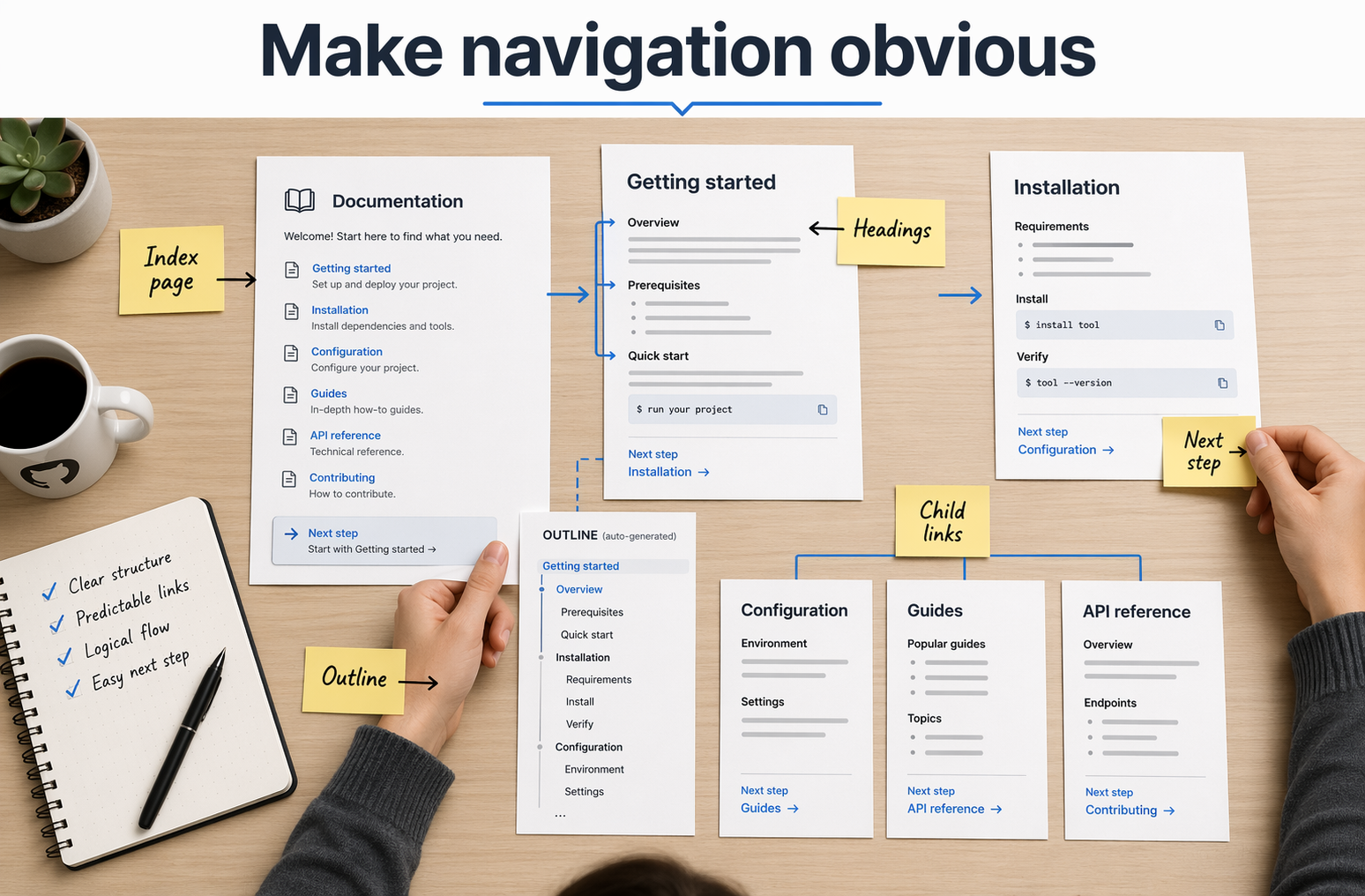
Use clear signposts:
- Add a short table near the top of long pages
- Link related pages with plain labels
- End pages with the next best action
Design for onboarding paths#
New hires do not need every page on day one. Build a path that moves from basics to real work.
| Stage | What they need | Best doc type |
|---|---|---|
| Day 1 | Setup, access, glossary | Tutorial |
| Week 1 | Common tasks | How-to |
| Week 2+ | Rules, edge cases | Reference |
Moxie Docs fits here when teams need living onboarding docs that stay current as code changes.
Also Read: Automated Code Documentation That Kills Onboarding Debt
Use GitHub Features That Improve Documentation Quality#
GitHub gives you more than a README. The best setup uses the right surface for the right job, then keeps each one small, clear, and easy to update.
When a wiki is the right fit#
Use a wiki for long-form team knowledge. GitHub says wikis are built for extra project documentation, while READMEs should stay focused on getting people started GitHub Docs.
A wiki works well for:
- architecture notes
- operating guides
- internal runbooks
- design decisions
Pick a wiki when the content changes often and does not belong in the main code review flow.
When to move beyond the repository README#
Keep the README as the front door, not the whole house. GitHub recommends using it for what the project does, why it matters, how to start, and where to get help GitHub Docs.
Move beyond the README when you need:
- separate guides for setup, deploy, and support
- docs for different audiences
- content that would make the README hard to scan
Make markdown work harder for you#
Good Markdown improves doc quality fast. GitHub Flavored Markdown supports tables, task lists, headings, and section links through GFM and GitHub’s built-in rendering.
Use these habits:
- write short headings people can scan
- add relative links between docs
- use tables for choices and rules
- turn steps into numbered lists
If your docs drift after each merge, Moxie Docs can help keep Markdown pages honest without adding manual cleanup.
Also Read: Ultimate Guide to Auto Documentation for Development Teams
Keep Documentation Accurate, Reviewed, and Maintainable#
Assign ownership and review points#
Docs stay accurate when every page has a clear owner. GitHub lets you define owners with a CODEOWNERS file, so the right people get pulled into review when docs change. Pair that with branch rules that require review before merge, and doc updates stop being optional.
- Assign one team owner for each docs area
- Add backup reviewers for shared systems
- Mark review points for API, setup, and policy content
If nobody owns a page, it will drift.
A simple table helps:
| Docs area | Primary owner | Review trigger |
|---|---|---|
| Onboarding | DevRel | Product changes |
| Runbooks | Platform team | Incident updates |
Build docs maintenance into the workflow#
Treat docs like part of the pull request, not cleanup work later. GitHub protected branches can require pull request reviews and status checks before merge, according to GitHub branch protection docs.
Use a short checklist in every PR:
- What changed?
- Which docs changed?
- Who reviewed them?
- Add doc checks to your PR template
- Flag stale pages during release review
- Track doc debt beside code debt
Moxie Docs fits well here because it helps teams catch drift after each merge, before stale docs pile up.
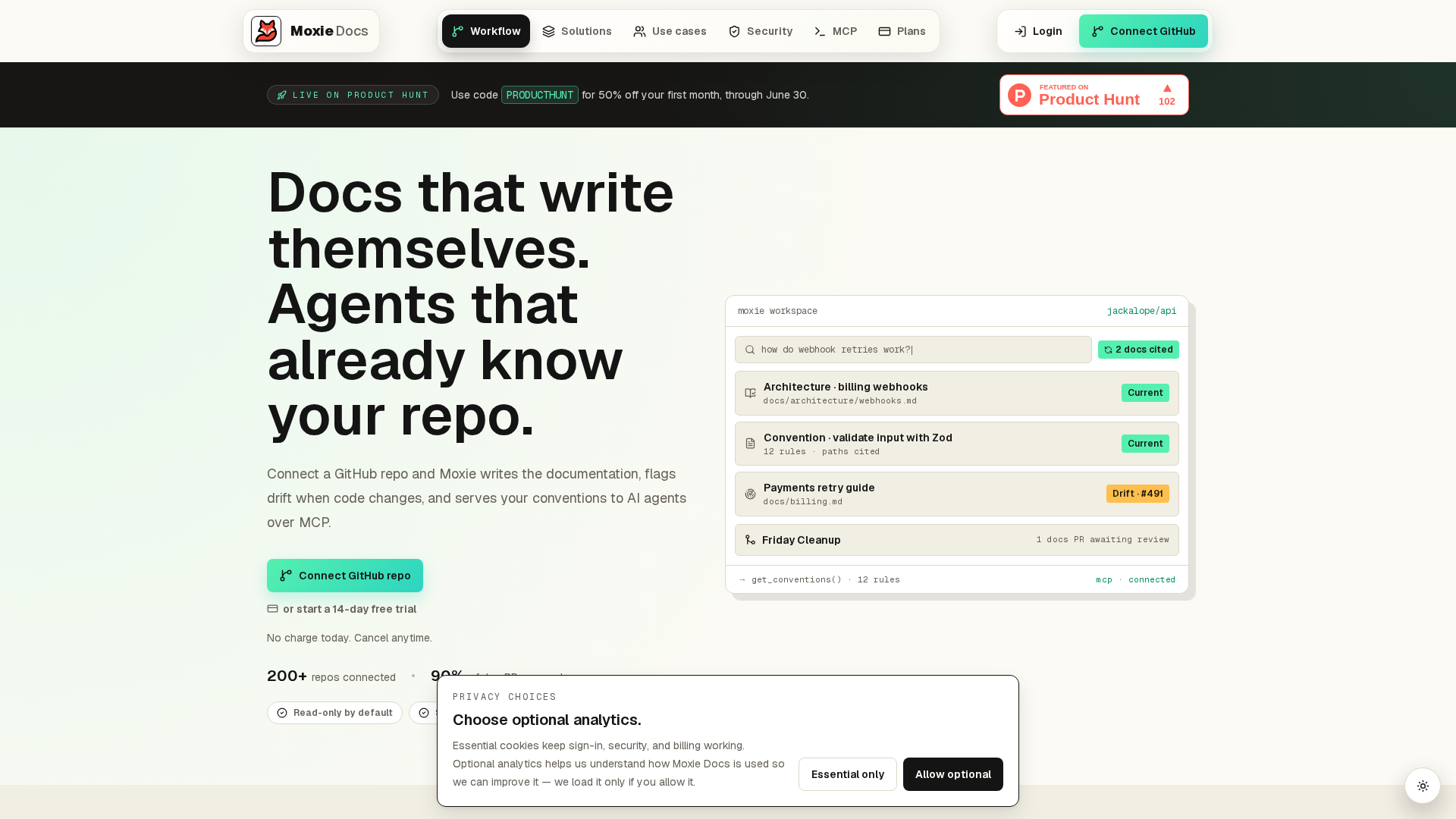
Keep your GitHub docs current without chasing every merge. Moxie Docs auto-updates living documentation, flags drift, and gives AI agents real code context. If your team wants docs that stay honest at scale, start there.
Frequently Asked Questions#
Q1: How can development teams create clear and accessible GitHub documentation using the Diátaxis framework?#
Split docs into tutorials, how-to guides, reference, and explanation. Match each page to one job. Use plain headings, short steps, and repo-based ownership so readers can find the right answer fast.
Q2: What are best practices for organizing GitHub documentation to ensure quick onboarding and easy navigation?#
Start with a landing page, setup guide, architecture overview, and contribution rules. Keep folders predictable, link related pages, and review stale content on a set schedule.
Q3: How does Moxie Docs help development teams keep GitHub documentation accurate and up-to-date?#
Moxie Docs tracks code changes and flags doc drift after merges. That helps teams update docs with current repo context instead of relying on manual checks and outdated tribal knowledge.
Q4: Who should own GitHub documentation in a development team?#
Shared ownership works best. Engineers own technical accuracy, writers shape clarity, and managers enforce review habits. Put owners in each doc area so updates do not stall.
Conclusion#
GitHub documentation works best when teams treat it like a system, not a pile of pages. The main takeaway is simple: use each GitHub surface for the right job, keep docs close to the code, and give every page a clear purpose. GitHub’s own docs show that READMEs help people get started, while wikis support longer project content in the repository space GitHub Docs. Pair that with the Diátaxis framework so tutorials, how-to guides, reference, and explanation stay easy to find, write, and maintain as your team grows.
Republish or cite this article
You're welcome to republish this piece in full or in part. We just ask that you credit the original with a link back. See our republishing guidelines.
Attribution snippet
<p>This article was originally published on <a href="https://moxiedocs.com/blog/a-comprehensive-guide-to-github-documentation-for-developers">Moxie Docs</a>.</p>Cite this article
The Moxie Docs team. "A Comprehensive Guide to GitHub Documentation for Development Teams." Moxie Docs, June 22, 2026, https://moxiedocs.com/blog/a-comprehensive-guide-to-github-documentation-for-developers.
Read next
Managing AI Agent Context Without the Bloat
Static rule files like .cursorrules get stale fast. We look at how to serve fresh codebase context to AI agents via Model Context Protocol without eating your token limits.
MCP for Agentic Programming: Practical ways AI helps Dev, QA, and Product
A clear overview of MCP and how it powers agentic programming across engineering, QA, and product—with examples and patterns to adopt today.