
MoxieDocs vs DeepDocs: Which Fits Lean Startup Teams Better?
Struggling to keep docs up-to-date with a tiny team? Compare MoxieDocs and DeepDocs to see which AI docs generator saves your engineers time without sacrificing clarity—so you can ship faster.
Quick Summary: For lean startups where AI agents need real-time code context, MoxieDocs wins by embedding live repository details directly into agent workflows-like MCP support for tools such as Cursor or Claude Code-so developers avoid hunting for outdated files. DeepDocs, meanwhile, excels at after-the-fact doc updates for stable READMEs or API guides, handling changes in separate branches but offering no active context layer for coding agents. The choice hinges on whether your bottleneck is drift in live code context (MoxieDocs) or maintaining static documentation (DeepDocs), with MoxieDocs also offering reviewable pull requests to keep docs aligned with merges.
For teams shipping AI-assisted code, MoxieDocs fits best when agents need live repository context. DeepDocs wins at GitHub auto docs for selected files. This AI docs generator comparison tests accuracy, drift, setup, governance, and cost for lean startup docs. It separates whole-codebase context from focused maintenance.
MoxieDocs vs DeepDocs: At a Glance#
| MoxieDocs | DeepDocs | |
|---|---|---|
| Primary workflow | Living codebase docs, drift checks, and agent context | Continuous updates to existing documentation |
| Documentation scope | Codebase architecture, conventions, docs, gaps, and verified commands | READMEs, API references, SDK guides, tutorials, wikis, and selected folders |
| AI coding-agent context | MCP context for Cursor, Claude Code, Codex, and other clients | Documentation maintenance rather than an MCP context layer |
| Change review | Reviewable pull requests; MoxieDocs does not merge changes | Separate branch or pull-request updates with reports |
| Lean-team pricing | Free tier; paid plans from $29/month | Free plan with usage credits; paid pricing varies by plan |
How MoxieDocs and DeepDocs Compare#
MoxieDocs#
MoxieDocs is an AI docs generator for GitHub teams that need living codebase docs and MCP context for coding agents. It suits lean teams that want drift checks, searchable conventions, and reviewable updates. ![Engineers reviewing repository maps and documentation changes on a laptop] Key strengths
- MCP context for AI agents
- Reviewable pull requests
DeepDocs#
DeepDocs is an AI docs generator focused on keeping existing GitHub documentation current after code changes. It fits teams that want focused README, API, and guide updates through separate branches. ![Developer reviewing focused documentation updates beside a source control dashboard] Key strengths
- Continuous doc updates
- Detailed change reports
Workflow Fit for Lean Startup Docs#
When Targeted Updates Are Enough#
Choose DeepDocs if your team owns a stable set of READMEs, API guides, or onboarding pages. It updates related docs from pull requests and keeps edits in reviewable branches, according to its GitHub Marketplace listing.
- Best for clear doc owners
- Best for low-change products
- Review every suggested edit

When the Codebase Is the Moving Target#
Pick MoxieDocs when AI agents need live repository context while code shifts daily. It flags drift and serves current context through MCP, so developers spend less time finding the right files.
Key insight: Doc updates help readers. Live context helps builders avoid wrong changes.
| Need | Better fit |
|---|---|
| Update known docs after PRs | DeepDocs |
| Give AI agents current code context | MoxieDocs |
Also Read: MoxieDocs Review: AI-Powered Documentation for Modern Dev Teams
Which Tool Reduces AI-Agent Context Switching?#
MoxieDocs as an Agent Context Layer#
MoxieDocs fits teams that need an AI agent to pull current repo knowledge while it works. Its MCP context layer gives agents living docs tied to the codebase, so developers spend less time pasting files, prompts, and old notes.

Best fit: fast-moving teams where agents write code and need reliable context before each change.
DeepDocs as a Post-Change Documentation Agent#
DeepDocs suits teams that mainly want docs refreshed after code changes. That helps reduce drift, but it does not solve the agent's need for live context during coding. Choose it when review-ready documentation matters more than in-session agent guidance.
| Need | Better fit |
|---|---|
| Live agent context | MoxieDocs |
| Post-change doc updates | DeepDocs |
Also Read: MoxieDocs vs DeepDocs: Which AI Documentation Tool Wins?
Accuracy, Governance, and Cost for a Small Team#
Reviewability Matters More Than Full Automation#
Treat AI-written docs as a pull request, not a final answer. Assign an owner, show the code source, and review drift alerts before publishing. NIST notes that clear human roles improve AI oversight and accountability in its AI risk guidance.
Tip: MoxieDocs fits teams that need every doc change tied to a merge.
The Lean-Team Cost Decision#
| Choice | Lean-team trade-off |
|---|---|
| MoxieDocs | Less manual upkeep and fresher GitHub context |
| DeepDocs | Useful if generated answers need less ongoing doc control |
Choose the tool that removes recurring review work, not the one with the flashiest demo. Keep one approval rule and track wrong or stale outputs weekly.
Also Read: AI Documentation: A Comprehensive Review of the Top 5 Platforms
Which Should You Choose: MoxieDocs or DeepDocs?#
Choose MoxieDocs if your team needs docs that change with every merge and live code context for AI agents. It fits fast-moving repos where drift creates real risk.
Choose DeepDocs if your main need is a separate, searchable knowledge layer for human readers.
| Need | Better fit |
|---|---|
| Merge-driven doc updates | MoxieDocs |
| AI-agent codebase context | MoxieDocs |
| Human-first knowledge lookup | DeepDocs |
Pick the tool that removes your team’s current bottleneck, not the one with the longest feature list.
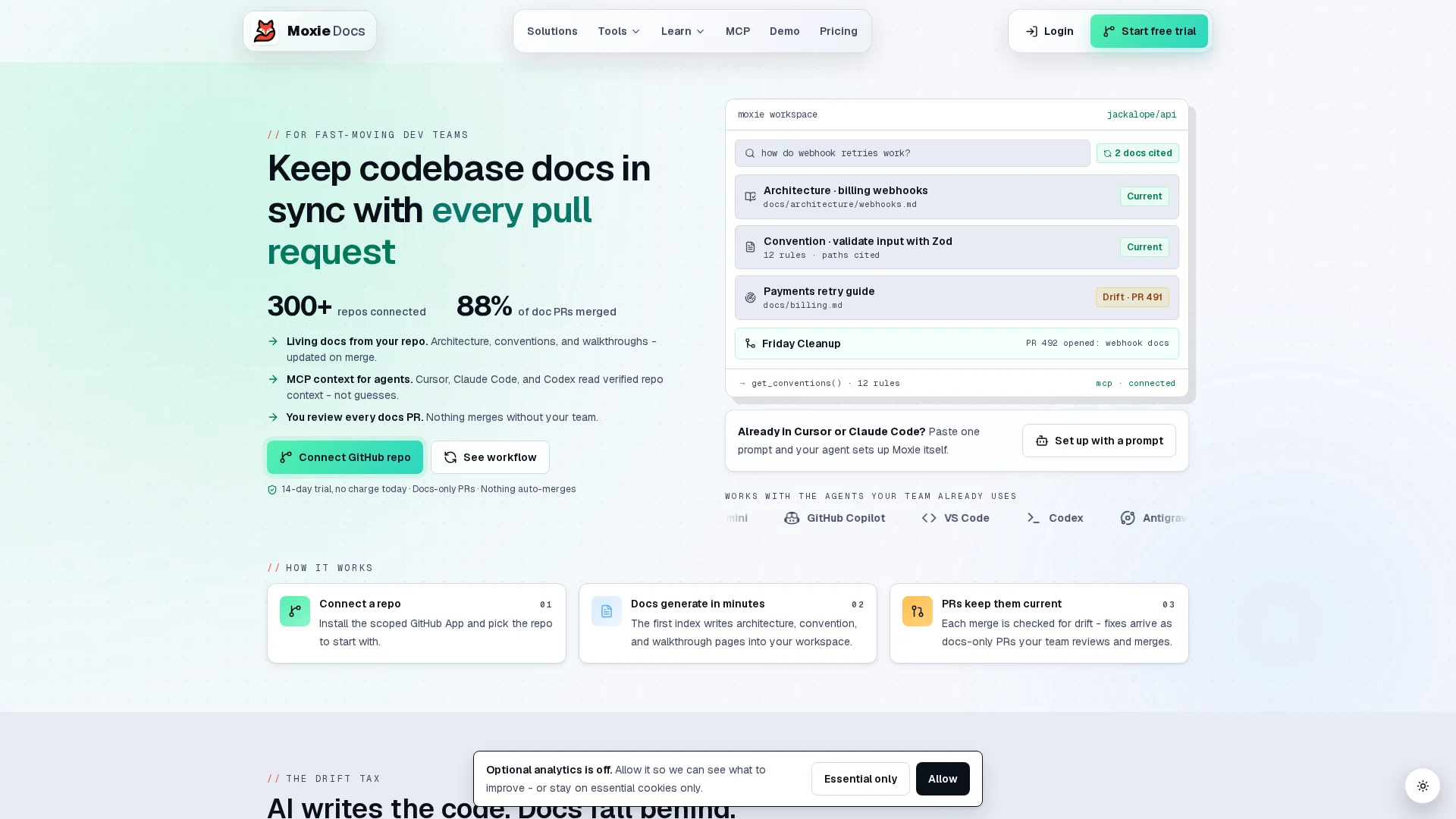
Keep docs current and AI agents grounded in real code. Try MoxieDocs for every merge.
Frequently Asked Questions#
Q1: How does MoxieDocs reduce context-switching for AI coding agents?#
It provides current repository context through MCP, so agents can check code and docs without repeated manual lookup.
Q2: Can MoxieDocs maintain accurate docs when AI generates most of the code?#
Yes. It flags drift after merges and updates living docs as the code changes.
Q3: What’s the difference between MoxieDocs and DeepDocs for lean teams?#
MoxieDocs focuses on continuous documentation upkeep and agent context. DeepDocs may suit teams needing deeper static code exploration.
Conclusion#
Choose MoxieDocs for durable team knowledge. Choose DeepDocs for live code context. Documentation drift is common, as research shows, so lean teams need clear ownership.
Republish or cite this article
You're welcome to republish this piece in full or in part. We just ask that you credit the original with a link back. See our republishing guidelines.
Attribution snippet
<p>This article was originally published on <a href="https://moxiedocs.com/blog/moxiedocs-vs-docuwriter-which-ai-documentation-tool-for-startups">Moxie Docs</a>.</p>Cite this article
The Moxie Docs team. "MoxieDocs vs DeepDocs: Which Fits Lean Startup Teams Better?." Moxie Docs, August 20, 2026, https://moxiedocs.com/blog/moxiedocs-vs-docuwriter-which-ai-documentation-tool-for-startups.
Read next
Comparing AI Coding Conventions in Auto Documentation and AI Documentation
Explore a comprehensive comparison of AI coding standards in auto documentation and AI documentation workflows, helping engineering leaders and developers optimize their practices.
How to sync documentation with GitHub and keep it alive as your codebase evolves
Sync documentation with GitHub using webhooks, CI/CD, and drift detection so docs stay accurate as your codebase evolves—and your AI tools stay grounded.